
Residential
Whole Home WiFi Installation: What Electrical and Wiring Work Supports It?
Pro Tech Power Corp
· 18 Min Read
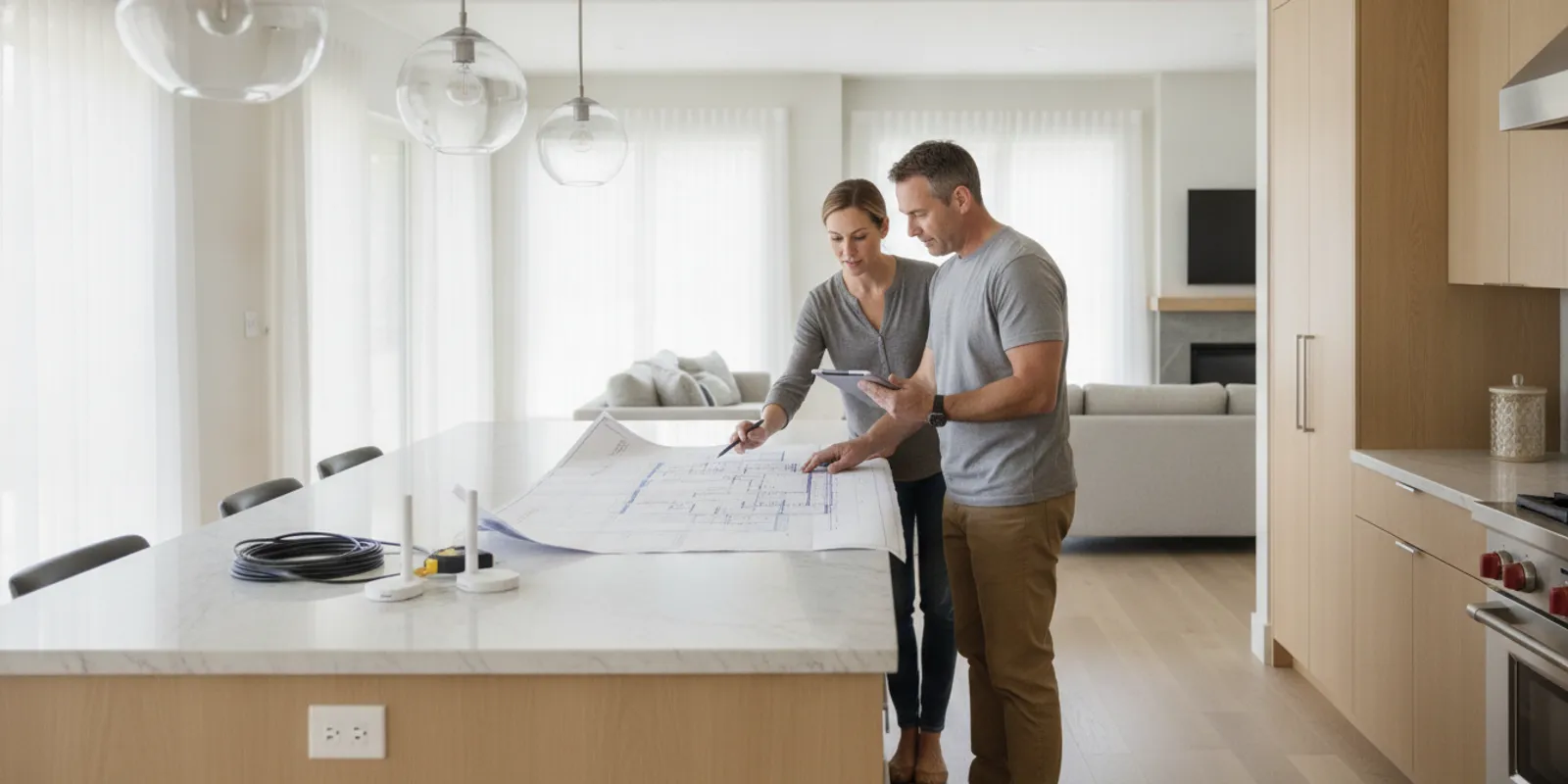
Reliable whole home WiFi installation starts with a plan for where the signal needs to reach, how network equipment will connect, and where cable can run without disrupting the home. Electrical and wiring work may include low-voltage data cable, equipment locations, pathways through walls or ceilings, and coordination with outlets or other planned upgrades. The right scope depends on the home, its construction, and the devices you want to use.
Request a project consultation
What does whole home WiFi installation involve?
Whole-home coverage is not simply a matter of placing a stronger router in the middle of the house. A wireless network needs a suitable connection to the internet, equipment placed where it can communicate effectively, and a signal path that reaches the rooms and outdoor areas you use. Walls, floors, ductwork, distance, and the position of the router or access points can all affect the result.
There are two broad ways to extend coverage. A mesh system uses multiple wireless units to relay the connection around the home. A wired access point connects back to the network through data cable, then provides WiFi locally. Some installations combine both approaches. A wired backbone can reduce the number of wireless hops between units, while mesh can offer flexibility where running cable is difficult. Neither arrangement can promise identical signal strength in every corner; the layout and materials matter.
Electrical work may support the network by creating or improving pathways for data cable, preparing equipment locations, and coordinating power needs. Data cable is low-voltage wiring, distinct from the branch-circuit wiring that supplies receptacles and lighting. The two systems may share a project schedule, but their routing, termination, and safety requirements are not interchangeable. A qualified contractor can help identify electrical scope and coordinate with a network installer when the project calls for both.
Which parts of the home should the plan cover?
Start with the places where people actually use connected devices. Mark the rooms where video calls, streaming, gaming, work, smart-home equipment, or other network use happens. Include the garage, basement, or an outdoor area only if coverage there matters to you. This simple map is more useful than assuming that every room has the same priority.
- High-use rooms: Note home offices, televisions, and other places where a stable connection matters most.
- Hard-to-reach areas: Identify rooms separated by several walls, floors, or larger distances from the current router.
- Equipment locations: Choose a practical place for the modem, router, network switch, or other central equipment. Consider access, ventilation, and a nearby power source.
- Future changes: Consider planned remodeling, a finished basement, a new office, or other changes that could affect routes and equipment placement.
Do not choose access point locations from a floor plan alone. A technician may need to inspect the structure and check whether a proposed position has a clear route for cable and adequate mounting options. Ceilings, closets, cabinets, and utility spaces each have tradeoffs. A concealed location can look tidy but may make equipment harder to reach or limit wireless coverage. An exposed location can be easier to maintain but should fit the home's appearance and use.
What electrical and wiring work might be needed?
The work varies from a straightforward cable run to a larger structured wiring plan. A walk-through should establish what is already present, which routes are accessible, and whether other construction is planned. These common elements help clarify the scope.
Data cable runs
Ethernet cable can connect a router or network switch to wired access points, computers, televisions, or other compatible equipment. Cable may run through an attic, crawlspace, basement, or finished wall cavities, depending on access and the home's construction. A plan should identify the start and end points of each run, the pathway, how it will be protected, and how the ends will be terminated and identified.
Not every room needs a cable outlet. Prioritize locations that benefit from a wired connection or where an access point will serve nearby devices. If you expect to rearrange a room, discuss whether an extra outlet or pathway is worthwhile before walls are closed. Any specific cable category or network performance target should be selected with the equipment and intended use in mind, rather than treated as a guarantee of internet speed. The internet plan, modem, router, network hardware, and connected device all affect performance.
Pathways, penetrations, and cable support
A cable route should avoid unnecessary bends, crushing, abrasion, heat exposure, and damage from screws or other work. Where cable passes through framing or other barriers, the installer must account for the construction and applicable code. Accessible pathways can make future changes easier, while concealed pathways may require more labor or opening and repairing finished surfaces.
For context, OSHA's wiring-method rules describe supporting wiring so the support does not damage it. That regulation is not a substitute for the residential code or a project-specific design, but it illustrates why cable support and protection deserve attention. See OSHA's wiring-method requirements for the provision cited.
Power and equipment preparation
Routers, switches, and some network equipment need power. During planning, confirm whether the chosen equipment can use a nearby receptacle or needs another arrangement. Do not assume low-voltage data cable can power every device, or that an existing receptacle is in the right place. If a new receptacle or circuit is being considered, that is separate electrical work and should be evaluated for the home's load, wiring, and applicable requirements.
A small central network area can help organize the modem, router, and any switch. It should remain accessible and should not be crowded into a hot, damp, or obstructed space. Ask how equipment will be mounted, ventilated, labeled, and reached for future troubleshooting. Keep the network layout coordinated with any other electrical plans, such as a remodel or panel work, rather than making a last-minute route through a finished area.
Separation and coordination with power wiring
Network cable and power wiring serve different functions, so a plan should show which work belongs to each system. Avoid treating an open cavity as permission to route cables without considering nearby electrical conductors, heat sources, supports, fire barriers, and the building's construction. The applicable rules and installation methods depend on the cable, location, and project. When electrical alterations are part of the job, confirm who is responsible for each portion and how work will be inspected if required.
Coordination is especially important when more than one contractor is involved. Agree on who chooses access point locations, who supplies network equipment, who pulls and terminates data cable, and who connects or configures the system. If one contractor opens a route and another completes the wiring, decide how the pathway will be protected and who will verify it is ready. A written division of responsibilities reduces the risk of duplicated work or an unfinished handoff.
Before work begins, confirm whether any existing low-voltage lines are being reused or removed. Older or unlabelled cable can be difficult to identify, and a line that appears unused may still serve a device. Ask the installer to explain how existing connections will be identified before changes are made. Likewise, do not assume every existing wall plate is connected to usable cable; its route and termination may need to be traced and tested.
How can the home's construction change the project?
New construction and open-wall remodeling often make cable routes easier to plan because framing is visible and pathways can be coordinated before surfaces are finished. In an existing home, the installer may need to work through an attic or crawlspace, fish cable through wall cavities, or use a more visible route. Each condition affects labor, access, and finish work.
Access is only one part of the decision. The route must also respect the building's layout and avoid conflicts with framing, plumbing, heating and cooling equipment, and existing wiring. A proposed route may look simple on a floor plan but prove impractical when the installer sees the actual framing or a blocked cavity. Ask how the plan allows for these conditions and whether an alternate route would change the visible finish or project scope.
Think about how the home is used as well as how it is built. In a busy household, equipment should be placed where it is less likely to be unplugged or disturbed. A central equipment area should remain reachable for rebooting or replacing components. Access points mounted in ceilings or high on walls can be unobtrusive, but the plan should still account for maintenance and any manufacturer requirements. For equipment that sits in a closet or cabinet, consider heat buildup and whether doors or stored items could block airflow or wireless communication.
Older homes may have fewer existing data pathways than newer construction, and previous renovations can leave unexpected obstacles. Rather than assuming an existing conduit is empty or usable, have the installer confirm its condition and capacity. If a cable route passes through a shared or concealed area, confirm how the installer will protect the cable, identify the path, and limit disturbance to finished surfaces. These are practical questions to resolve during planning, not after equipment is waiting to be connected.
Where there is no convenient concealed route, a neatly installed surface pathway can sometimes be considered. It may reduce the need to open walls, but its appearance and location matter. Talk through where it would run, how it would be secured, and whether doors, furniture, or future work could damage it. The least visible route is not always the most accessible, and the shortest route may not be the best if it creates an awkward equipment position.
Construction materials can also affect wireless coverage. A signal may be weakened by distance and by walls or floors between equipment and devices. A central unit that works well in an open space may not cover a distant room through multiple barriers. The network layout should therefore consider both the cable route and where people need a usable wireless connection. A wired access point placed nearer a coverage gap can be more helpful than simply moving the primary router to an inconvenient spot.
When you are already planning a renovation, discuss network pathways before drywall, cabinetry, or finished ceilings are installed. Coordinate locations with lighting, plumbing, heating and cooling equipment, and storage needs. A route that seems clear on a drawing may conflict with framing or other systems in the field. The final pathway should be confirmed on site.
How do common approaches compare?
The best approach depends on the home's layout, access to cable routes, how many devices need a wired connection, and your preference for flexibility or a wired backbone. Use this comparison to frame the conversation; it is not a substitute for an on-site assessment.
| Approach | What it uses | Where it may fit | Points to confirm |
|---|---|---|---|
| Single router | One wireless router connected to the internet equipment | Smaller or open layouts where one location reaches the main use areas | Coverage through walls and floors; equipment location; whether dead zones remain |
| Wireless mesh | Multiple wireless nodes communicating with one another | Homes where flexible placement is useful and new cable runs are not practical | Node locations, power access, connection quality between nodes, and limits of wireless backhaul |
| Wired access points | Network cable from central equipment to one or more access points | Homes needing a wired backbone or consistent coverage in selected distant areas | Cable routes, mounting positions, equipment compatibility, and any surface repair |
| Hybrid layout | A mix of wired access points and wireless mesh or other network equipment | Homes with a few priority areas and some locations where cable access is difficult | Which units use wired connections, how equipment works together, and how it will be managed |
Ask the network provider or equipment professional to explain the design in plain language. In particular, clarify which devices connect by cable, which rely on wireless links, and where the central equipment will sit. That explanation helps you understand what the wiring project can improve and what depends on the internet provider or the network equipment.
How can you prepare a useful coverage plan?
You do not need to draw a technical network diagram to make the first conversation productive. A basic floor plan or a hand-drawn sketch is enough to show the shape of the home, floors, and rooms that matter. Mark the current internet entry point and the router's location. Then use a simple priority system: note the places where a weak connection causes a real problem, the places where a wired connection would be helpful, and areas where coverage is optional.
Record how devices are used in each priority room. A desk used for video meetings may benefit from a wired connection or a nearby access point. A television might be wired if that is convenient, while phones and tablets will still rely on WiFi. A smart-home hub may need a particular location or connection type. Listing these needs helps avoid a plan that focuses only on the number of rooms rather than how the network is actually used.
Also note practical constraints. Identify rooms where you do not want visible cable, areas that are difficult to access, and any planned changes to furniture or room use. If a home office is likely to move, explain that before the installation locations are fixed. If you want coverage in a detached structure or outdoor gathering area, mention it as a separate goal; distance and construction between buildings can make that a different design problem from indoor coverage.
Finally, gather details about the internet equipment and existing wiring if you can do so easily. Note where the modem connects, the make and model of current network equipment, and whether you have observed specific dead zones or dropped connections. Do not share passwords in an open estimate request. The network professional can explain a secure way to handle credentials if configuration is part of the agreed work.
What affects the scope and estimate?
There is no reliable one-size-fits-all price for whole home WiFi installation. Two houses with similar square footage can require different work because their layouts, access, construction, and desired coverage differ. An estimate should describe the actual work rather than offer a number based only on house size.
- Number and length of cable runs: More destinations and longer routes typically mean more material and installation time.
- Access conditions: Open framing, accessible attic space, or a crawlspace can differ greatly from finished walls with limited access.
- Surface restoration: Ask whether patching, paint, trim, or other finish work is included, excluded, or assigned to another contractor.
- Equipment and mounting: Confirm whether the estimate includes network hardware, mounting, setup, or only the wiring work. These are different scopes.
- Power changes: A request for a new receptacle or other electrical alteration may add a separate task and require its own assessment.
- Project coordination: Remodel timing, other trades, access appointments, and permit or inspection needs can affect the sequence.
Compare estimates by scope, not just by the bottom line. One proposal might include several terminated and labeled cable runs, while another includes only a pathway or a smaller number of drops. Ask each bidder to identify included locations, cable route assumptions, patching responsibilities, equipment supplied, testing, and items that could change after walls are opened. If an estimate leaves these unclear, request clarification before comparing it with another.
What a useful written scope can include
A useful proposal does more than state a general goal such as better coverage. It should identify the locations under consideration and what will be installed at each one. For example, it can distinguish a cable outlet for a workstation from a cable run ending at a ceiling access point. If the final route depends on access conditions, the proposal can describe the assumption and explain how a change would be approved before additional work proceeds.
Look for clarity on material and finish details as well. The proposal can identify whether cable is exposed or concealed, whether wall plates or mounting hardware are included, how cable ends will be labeled, and whether testing is part of the work. It should also say whether patching and paint are included or left to another contractor. If an estimate includes network equipment, ask for the equipment description; if it does not, make sure you understand what must be purchased separately.
Ask how the work will be documented when it is complete. A simple record of cable destinations, labels, and equipment locations can help a future installer or homeowner understand the layout. Clarify who will provide that information and whether it is included in the project. The goal is not paperwork for its own sake; it is making the completed installation easier to use, maintain, and adapt if a room changes.
What should you ask before work begins?
A short planning conversation can prevent mismatched expectations. Bring a floor plan if available, a list of rooms that need coverage, and the location of the current modem and router. You do not need to know the final network design before requesting a consultation. Your priorities and constraints give the contractor a useful starting point.
- Which areas matter most? Identify the rooms and devices where dependable access is important, plus any lower-priority spaces.
- What is included in the proposed work? Ask how many cable runs or outlets are included, where they end, and whether hardware or setup is part of the scope.
- How will the routes be selected? Find out what access is available, whether routes are concealed or exposed, and what happens if the planned path is blocked.
- Who handles finish repair? Establish responsibility for openings, patching, painting, and cleanup before work starts.
- How will the completed work be checked? Ask what testing, labeling, or documentation is included, and what the test does and does not establish.
- What work needs coordination? If a remodel or other electrical work is underway, decide who coordinates timing and confirms the final equipment locations.
Ask for the scope and any assumptions in writing. A clear description should show the proposed destinations and identify what is not included. It should also explain how changes will be handled if concealed conditions differ from expectations. These details make it easier to decide whether a design fits the home before installation starts.
What can you do before installation day?
Once the layout and scope are set, a little preparation can make the work smoother. Make sure the installer can reach the agreed rooms, attic or crawlspace access points, and network equipment. Move fragile items and furniture away from work areas where practical. If the route passes through a closet or storage area, clear enough space for safe access rather than asking the installer to work around packed shelves.
Confirm how the household should handle internet access during the work. Installing or moving network equipment may briefly interrupt the connection, even if the data cable work is separate from the internet provider's line. Ask whether any equipment will be unplugged, who will reconnect it, and when you should expect the network to be available again. If someone works from home or relies on a connected device, plan around any expected outage.
Keep children and pets away from ladders, tools, open wall areas, and work zones. Make sure the person overseeing the project can answer questions about room access and approve any proposed change to the route or visible finish. If the crew finds a blocked pathway or an unexpected condition, pause to review the options and their effect on scope before proceeding. These practical steps support clear communication without requiring the homeowner to supervise technical details.
How does a typical planning and installation process work?
The exact sequence varies, but these stages help homeowners know what to expect and what information to have ready.
- Map usage and coverage needs. Identify the rooms, devices, and work patterns that matter. Note areas with weak coverage and any equipment that should connect by cable.
- Review the home and existing equipment. Locate the internet connection, router, likely cable pathways, existing data outlets, and practical mounting points. Note construction access and planned renovations.
- Agree on a layout and written scope. Confirm cable destinations, equipment responsibilities, route assumptions, finish work, testing, and any electrical changes.
- Install and protect the wiring. The installer follows the agreed route, takes care around other building systems, and terminates the cable at the planned points.
- Test and document. Confirm the agreed cable runs and outlets are checked, labels are useful, and any open items are recorded. Network performance also depends on the equipment and internet connection.
- Place or configure network equipment. If equipment setup is part of the project, confirm who configures it and how access credentials and future changes will be handled.
After installation, test the actual rooms and devices that motivated the project. A cable test verifies a cable connection; it does not by itself guarantee a particular internet speed or wireless experience. If a room still has poor coverage, share the location and device details with the network professional so the equipment layout can be reviewed.
How can the project fit with other home electrical work?
Network wiring is often easiest to coordinate with a remodel, new construction, or another planned electrical project. It can be useful to discuss data-cable routes while a contractor is already reviewing access to walls, ceilings, and equipment locations. However, a network cable plan should not be treated as a substitute for evaluating receptacles, branch circuits, or electrical capacity. Each task has its own purpose and requirements.
Homeowners planning a broader electrical project can review the company's full range of residential and commercial electrical work and learn what a panel upgrade assessment covers. For examples of completed work, see the project portfolio. Those pages provide context for electrical planning, but the specific scope for a home network still needs to be established for your property.
Frequently Asked Questions
Does whole home WiFi installation always require new wiring?
No. Some homes can use existing data wiring, a well-placed router, or wireless mesh equipment. New cable may be useful when you want wired access points or connections in specific locations. An assessment can determine whether existing pathways and equipment meet your goals.
Is Ethernet cable the same as electrical wiring?
No. Ethernet is low-voltage data cable. It carries network communication, while electrical wiring supplies power to equipment and receptacles. They should be planned and installed for their intended uses, with attention to applicable code and safe routing.
Will a wired access point guarantee fast WiFi everywhere?
No. A wired connection to an access point can give it a direct network path, but the wireless experience still depends on its placement, building materials, equipment, internet connection, and the device being used. A design should target the areas that matter rather than promise identical performance in every location.
Can cable be added without opening finished walls?
Sometimes. Attics, crawlspaces, basements, closets, and existing pathways can provide access, but the options depend on the home's construction. The installer should explain whether the proposed route is concealed, exposed, or likely to need openings and finish repair.
Should I choose the router or access points before planning the wiring?
It helps to discuss your equipment and coverage goals together. The chosen hardware affects the number and location of connections, but the best equipment position also depends on the home. If you already own equipment, share its model information during planning rather than assuming it will suit every layout.
Talk with Pro Tech Power about your electrical project
A clear plan connects the rooms you use, the routes the home can support, and the equipment you intend to install. With those details agreed in advance, you can compare proposals on the same basis and coordinate network wiring with other work in the home.