
Residential
Cat6 Installation for Homes: Planning Reliable Wired Networks
Pro Tech Power Corp
· 17 Min Read
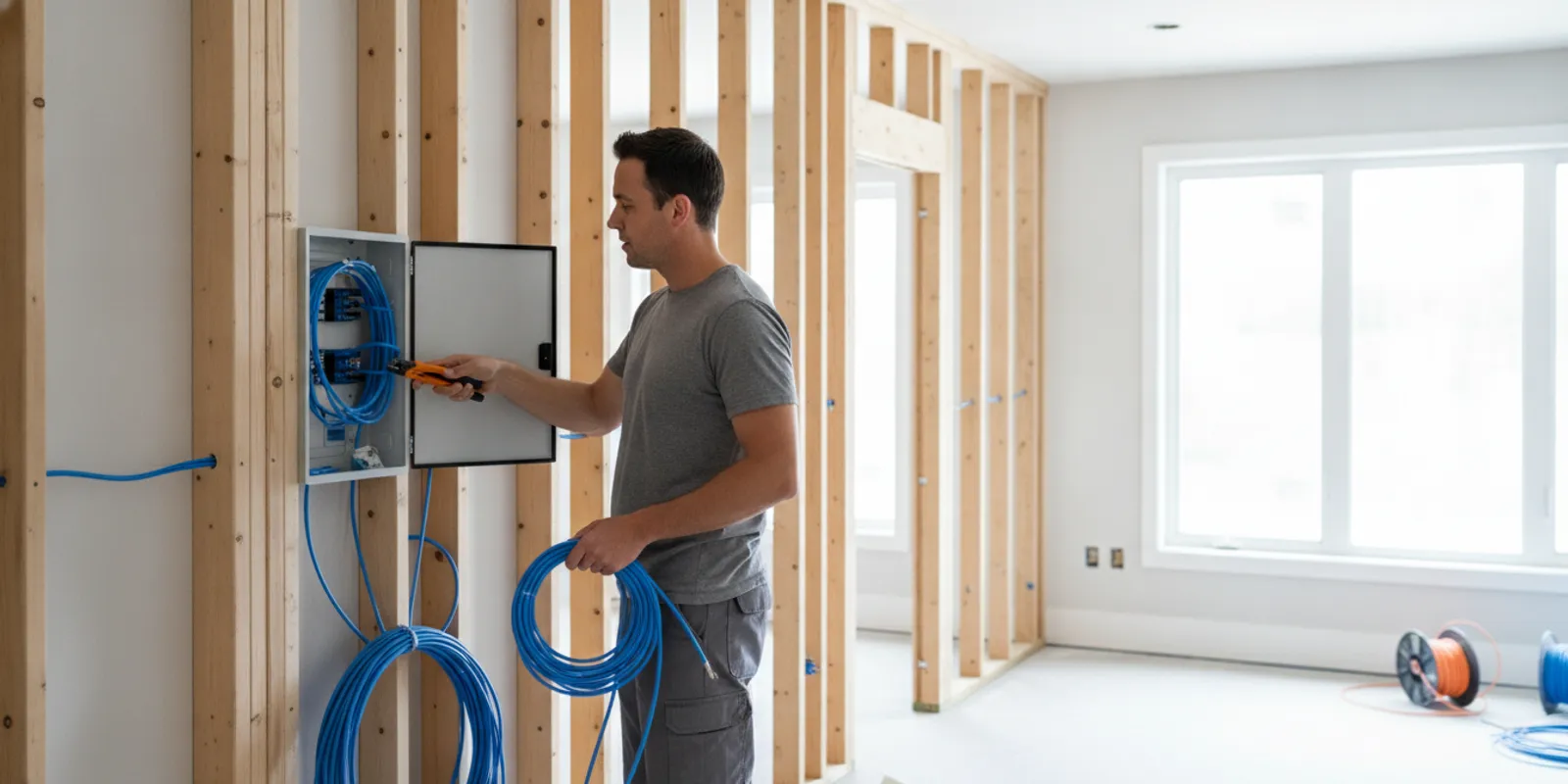
Cat6 installation is easiest to plan before walls close, but a remodel or finished home can still be wired with careful routing. The useful starting point is a room-by-room plan: decide where wired devices will sit, where wireless access points may be needed, and where all cable runs should meet.
Request an estimate for your Cat6 project
Quick answer: For a dependable home network, plan each cable run from a central location to its destination, provide outlets where equipment will actually be used, and coordinate the low-voltage pathway with electrical work before drywall. Ask how runs will be identified and tested at completion.
What should you plan before Cat6 installation?
Start with the way people use the house, not with a cable count. List the rooms and equipment that would benefit from a wired connection. A home office may need more than one outlet for a computer, dock, printer, or phone. A television location might need connections for a streaming device, game console, or other equipment. A central room may need a cable for a wireless access point.
Walk through the floor plan and mark locations on a copy. Include the likely position of desks, televisions, network equipment, and ceiling-mounted access points. If furnishings are not final, mark more than one practical outlet location rather than relying on a single assumed layout. Keep outlets accessible, and consider whether a desk or cabinet could block them.
Next, choose a central point where individual cables can terminate. This might be a structured media enclosure or a small rack, depending on the number of runs and equipment. It should be accessible for changes, have room for cable management, and be placed where equipment can be powered and kept within its operating conditions. Avoid burying the network termination behind fixed cabinetry or in a location that will be difficult to reach. Before settling on a closet or utility area, check the plan for physical access, available space, and the nearby power needs of the intended equipment. Consider who will need to reach the equipment later and whether the door can open fully when cables are connected. These details are easy to overlook on a floor plan but matter when the network needs a change or a cable needs to be traced.
Sketch the intended route as well as the endpoints. A good plan gives the installer enough information to identify the destination of every cable and coordinate around framing, insulation, ducts, plumbing, and electrical pathways. The electrical project portfolio can help you discuss broader electrical scope alongside the network plan.
Make the plan useful to someone who has not walked through the home with you. Number each proposed run, then create a simple schedule with the room, wall or ceiling location, intended equipment, and a note about the route if you know it. For example, “Office, east wall, two connections near desk” is clearer than “office outlet.” Mark whether a position is firm or only a possible future location. That distinction helps the installer identify priorities if the route or budget needs adjustment.
Before the estimate, group the locations into essential and optional runs. An essential list could include the office desk, television cabinet, and planned access point. Optional items might include a guest-room desk or an extra outlet in a flexible room. This is not a substitute for a site review. It gives you a concrete way to compare proposals and make a considered choice if access conditions change the scope.
Where should Cat6 outlets go in a home?
Place outlets where a wired connection is useful and where a device can connect without a long visible patch cable. Think beyond the current occupant. A room used as a bedroom today may later become an office. A finished basement or flexible bonus room may change purpose. Planning a few likely future locations while the walls are open can be simpler than adding cable later.
- Home office: Plan outlets near the desk area. If several devices will be wired, ask whether multiple cable runs or a small local network switch is the better arrangement.
- Media locations: Consider the television wall and any nearby equipment cabinet. Keep access to the outlet and cable terminations after furniture is installed.
- Bedrooms and flexible rooms: Consider likely desk or media locations, especially in rooms that may serve a different purpose later.
- Ceilings and access-point locations: Plan a cable termination where an access point could be mounted, with placement based on the home layout and wireless coverage goals.
- Utility or equipment areas: Provide a clear route back to the central network location, without making the termination inaccessible.
One outlet does not automatically mean one cable is enough. The right number depends on the equipment and how you want to manage it. Dedicated runs give flexibility at the central location; a switch can add ports near a cluster of devices, but needs a suitable location and power. Ask the installer to describe the tradeoff in the context of your layout. If you are unsure how a room will be used, discuss whether an extra run is sensible while access is available. This does not mean putting outlets everywhere. It means choosing possible future positions deliberately, such as a desk wall or a location where a second access point might be useful. A short note beside each mark on the floor plan—room, wall, height or ceiling location, and intended device—helps turn a general idea into an installable scope. Review the marks with the installer before rough-in so a door swing, built-in cabinet, or planned furniture does not make a connection awkward to reach.
Think about how devices will connect at each cluster. If a media cabinet has a television, streaming player, and console, one wall outlet could feed a small switch, while separate home runs provide more direct connections back to the central point. The first approach can reduce the number of cable runs and keep a group tidy, but it adds an active device and a power requirement at the cabinet. Separate runs use more cable and central terminations, yet give you flexibility to manage each connection from the central location. Neither layout is automatically best; write down the equipment and ask for a recommendation based on the actual arrangement.
Outlet position matters as much as count. A low wall plate behind a fixed cabinet may be difficult to reach, while a plate too far from the desk may leave visible cabling across a walkway. For ceiling access points, discuss mounting position and a suitable cable endpoint before the ceiling is finished. The goal is a useful connection point, not simply a plate in the nearest convenient spot.
How should you plan access points and a central rack?
Wireless devices still need a wired path back to the network. If you expect ceiling-mounted access points, identify candidate locations early and plan cable routes to them. A single access point may not suit every floor plan; building materials, floor levels, and the intended coverage area affect placement. Have the network designer or installer review the plan rather than choosing locations only by convenience.
At the central point, leave room for the actual equipment: cable terminations, a router, a switch, and any other devices planned for the network. Think about the number of runs, how cables will be labeled, and how someone can reach the equipment to make a change. Do not assume a bundle of cables can be neatly tucked into any small closet. A clean, accessible termination area makes later troubleshooting easier. Decide who will supply and configure the active network equipment, because cabling and network setup are separate parts of a project. The cabling plan can identify where the router and switch are expected to sit without assuming they are included in the installation. If the equipment choice is not settled, leave enough practical room for the planned arrangement and ask how the termination will be presented for a later connection. This keeps the building cable plan clear even if the household changes equipment after move-in.
Some institutional telecommunications standards call for more than one cable at wireless access-point locations. For example, Humboldt's telecommunications infrastructure planning standards specify two Cat6a cables per access-point location in the cited standard. That is an example of a project requirement, not a universal rule for every home. Discuss whether a spare run is worthwhile for your plans and budget.
For larger or more involved projects, a centralized layout is easier to review on drawings before installation. Pro Tech Power's design-build project information is a useful starting point for discussing how electrical design and construction planning can be coordinated.
Give the central location its own layout review. Confirm the approximate number of cable ends, the type of termination arrangement proposed, and where active equipment will sit. Ask whether the enclosure has room for the planned connections and a reasonable path for adding a run later. A crowded termination can make it harder to identify labels or reach a specific connection. If the equipment is in a closet, check ventilation and access with the project team; do not assume every enclosed space is suitable for powered network equipment.
Also decide what “ready for equipment” means in the written scope. A cabling job may include installing and terminating the runs but not supplying a router, configuring wireless settings, or connecting every household device. Clarifying the handoff avoids a gap between completed building cabling and a working home network. Ask who will provide patch cords, active equipment, and any setup after the cable runs are tested.
How does Cat6 coordinate with electrical work?
Cat6 cable and electrical wiring serve different purposes, but their routes may share the same walls, floors, ceilings, and pathways. Coordination matters most while framing is open. Before installation, identify the proposed cable paths and destinations with the electrician or project lead. They can review how low-voltage routes fit alongside the electrical plan and applicable installation requirements.
Do not assume that a cable can be placed wherever there is an open space. The route may need to avoid physical damage, interference concerns, crowded pathways, or conflicts with other building systems. The right separation and pathway details depend on the installation and applicable rules. Ask the project team to resolve those details rather than moving or securing wiring yourself.
New construction offers the clearest opportunity to coordinate routes before insulation and drywall. In a remodel, the team may need to work around existing wiring, finished surfaces, and access limitations. A remodel scope should say which walls or ceilings will be opened, how the cable will reach the central point, and whether visible surface pathways are being considered in rooms where concealed routing is impractical.
Planning electrical and network work together can also help identify where equipment needs power. The network enclosure, rack, or switch location may need an outlet nearby. Coordinate that need with the electrical scope; do not assume a convenient receptacle is already available. Pro Tech Power's project portfolio offers examples of its broader electrical work, while its regional coverage information helps confirm the areas it serves.
Use a simple coordination sequence to reduce late changes. First, settle the room list and approximate device positions. Next, identify the central termination and the expected equipment footprint. Then review the proposed pathways with the project lead while other rough-in work is being planned. Finally, walk the locations once more before insulation or wall closure. If a desk moves, an access point changes position, or a cabinet is added, update the drawing and run list before the installer begins pulling cable.
When several trades are working at once, assign one person to maintain the latest marked plan. A printed copy with dates or revision notes helps prevent one crew from using an earlier outlet position. It is also useful to record agreed exceptions, such as a surface route in a finished room or a revised central point. This keeps the cable plan aligned with the actual building conditions rather than relying on memory.
What changes between new construction and a remodel?
The destination plan should be similar in either case, but the pathway choices can differ. In a new home, cable routes can be coordinated with framing and other rough-in work. This can make it easier to run individual cables directly to the central location and provide outlets at planned destinations. Confirm the plan before the walls close, and ask when the runs will be tested and labeled.
In a remodel, the key question is how each cable can reach its destination with an acceptable finish. Existing wall cavities may not line up with the desired outlet. A route may require access through an attic, crawlspace, basement, or opened wall, depending on the home. Ask the installer to explain which areas are accessible, where patching may be needed, and what alternatives exist if a concealed route is not practical.
For either project, make a final room-by-room review with the plan in hand. Check that the outlet and access-point positions match the expected furniture layout, and that the central location has enough space. Pro Tech Power's project example and additional portfolio example can help start a conversation about project coordination, though every home has its own route and scope.
In new construction, agree on the installation milestones. A practical sequence is to approve destinations, review the route, install cable during rough-in, inspect the outlet and central-point locations, and then complete terminations and verification before closeout. Ask how changes after approval will be handled. Even a small late change—moving an outlet to the opposite side of a doorway, for example—can alter the route or require another visit if the relevant area is already closed.
For an existing home, begin with an access review rather than assuming every run can be concealed. Walk through the attic, basement, crawlspace, or utility area with the installer where possible. Note finished ceilings, built-ins, insulation, and areas where opening or repairing a wall would be disruptive. If a route is not practical, compare alternatives: choose a nearby endpoint, use an accessible pathway where suitable, or prioritize the most valuable runs first. Ask which finish work is included and which would be handled separately.
Plan for occupied rooms during a remodel. Discuss whether furniture needs to move, whether rooms need to be cleared, and how the work area will be kept accessible. A short list of priorities helps if only some routes are feasible without substantial disruption. Record any final outlet changes before the work begins, then verify the installed positions against that list before the area is restored.
What should a Cat6 installation comparison include?
Compare proposals by what is included, not only by the number of outlets or a single total. The same run count can represent different routes, access conditions, termination details, and testing. Ask each installer to describe the scope in plain language.
| Planning item | Questions to compare | Why it matters |
|---|---|---|
| Run locations | Which rooms, wall outlets, and access-point locations are included? | Confirms the design fits how you expect to use the home. |
| Cable pathway | Where will cable travel, and are any walls or ceilings expected to be opened? | Sets realistic expectations for access, finish, and coordination. |
| Central termination | Where will runs end, and what enclosure or rack space is assumed? | Helps ensure equipment and cable management have a workable home. |
| Terminations and labels | Are both ends terminated and clearly labeled to match a room plan? | Makes it easier to connect and identify a run later. |
| Testing and closeout | What testing is included, and will results or a run list be provided? | Clarifies how the installer will check each completed cable run. |
| Electrical coordination | Who coordinates pathways and power needs at the network location? | Reduces last-minute conflicts between network and electrical work. |
When two proposals differ, map each difference to a specific scope item. One may include more outlet locations, another may include a documented test, or one may assume a clear route while another accounts for openings and restoration. Ask for the assumptions behind the proposal, especially for finished areas. A side-by-side list of included runs and exclusions is more useful than comparing totals without context.
Costs depend on the home, route length, access, outlet count, and the work included, so a general figure may not describe your project well. Instead, ask which conditions could change the estimate and how changes are approved. If you want to phase the work, ask whether the initial plan can leave a practical path for later additions. The proposal should make clear which runs are included now and which are only future possibilities.
How should cable runs be tested and documented?
Testing is an important part of closeout, not an optional afterthought. Ask what test method is included and what it verifies. A basic wire map can identify issues such as a miswired pair or a break in continuity. More comprehensive testing may be appropriate when the project specification calls for it. The scope should make clear what level of test is being provided; do not assume that a cable's appearance or a link light proves every requirement has been met.
At a minimum, request a run list that connects each label to a room and outlet location. The labels at both ends should match that list. If test results are part of the contract or project specification, ask for them with the closeout materials. Keep the floor plan, labels, and test records together so a future change does not require tracing an unknown cable.
Published technical specifications can provide useful examples of what an installation scope may cover. The College of Western Idaho Category 6 cabling specification discusses Cat6 cabling requirements, while this communications systems specification lists installation and testing among the work items. These are institutional documents; your home project may have a different written scope.
Use the closeout walk-through to check the work against the approved schedule. Confirm that each wall plate is in the expected location, labels correspond to the right rooms, and the central termination is accessible. Match the run list to the final floor plan, including any approved changes made during installation. If the written scope includes test records, confirm that they identify the run or outlet they apply to.
Keep the documentation where another household member or future installer can find it. A concise record might include the final marked floor plan, a numbered list of endpoints, the central-panel label key, and test information included in the agreement. If equipment is added later, this material helps identify available runs without guessing or unplugging connections at random.
What should you ask before work begins?
A short planning conversation can prevent avoidable surprises. Bring a marked floor plan and ask:
- Which locations will receive dedicated cable runs, and how many runs are planned at each?
- Where will the runs terminate, and how will the central area be organized?
- Can the planned routes be concealed, or will access openings or surface pathways be needed?
- How will cable routes be coordinated with electrical work and other building systems?
- Will ceiling access-point locations and any spare runs be included?
- How will each cable be labeled, tested, and documented at completion?
- What work is excluded, including wall repair, painting, equipment, or network configuration?
For a project involving other electrical changes, discuss the full scope rather than treating the network plan as an isolated task. Pro Tech Power is an electrical contractor for residential and commercial customers. You can review the company overview and then use the contact page to share the project details.
It may help to turn the conversation into a written checklist. Include the approved run locations, any optional runs, the central termination point, route assumptions, and what closeout information you expect. Ask who will confirm location changes and how those changes will be captured. A written checklist does not need to be complicated; its purpose is to give the homeowner and installation team the same reference before work starts.
Discuss your home network and electrical project
Frequently Asked Questions
Is Cat6 a good choice for a home network?
Cat6 is a common structured cabling choice for wired home networks. Whether it suits a particular project depends on the equipment, pathway, and performance needs. Ask the installer to specify the cable and termination components in the written scope.
Should I run Cat6 to a wireless access point?
A wired connection can provide a direct network path for an access point. Decide on candidate locations based on the home's layout and coverage goals, then confirm the number of runs and exact placement with the installer.
How many Cat6 outlets does each room need?
There is no single number for every room. Count the devices you expect to connect, consider where furniture will sit, and decide whether devices will connect directly or through a local switch. A marked plan helps turn those choices into a clear run list.
Can Cat6 be installed in a finished home?
Often, but access and finish conditions affect the available routes. An installer can inspect the home and explain whether cable can be routed through accessible spaces, whether openings may be needed, and which alternatives are practical.
What should I receive when the installation is complete?
Ask for labeled cable ends, a room-by-room run list, and any testing records included in the agreed scope. Keep those documents with the home plans so future changes are easier to manage.
A clear Cat6 plan starts with real device locations, an accessible central termination point, and a coordinated route for every run. Review those choices before work begins, then confirm that labeling and testing are included in the closeout.