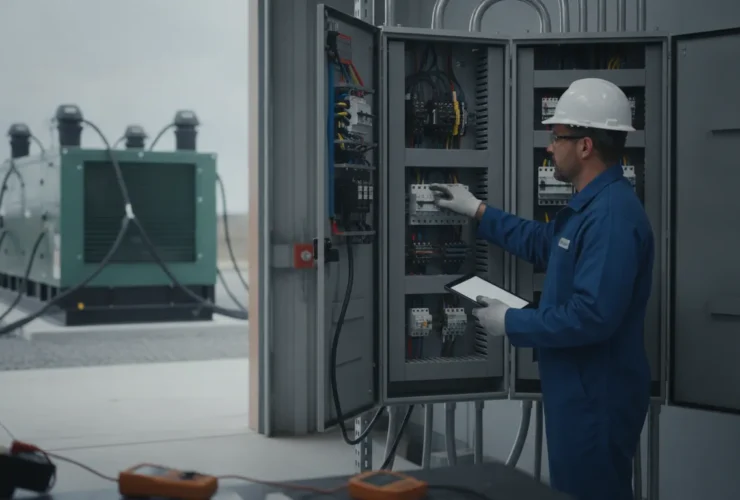
Structured Wiring Portland Oregon: Guide for New Home Builds
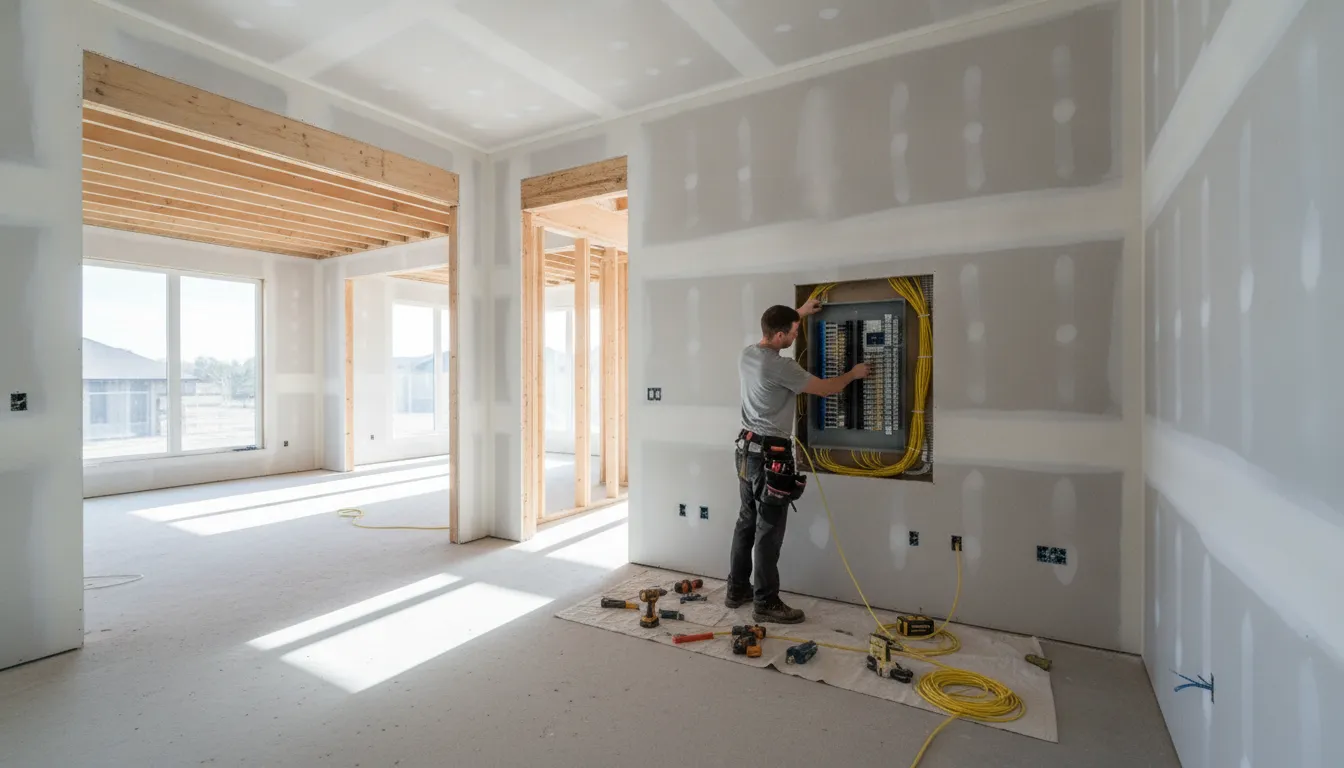
Once drywall is closed, adding Ethernet, TV connections, or speaker wiring can mean opening finished walls and accepting compromises in placement. New construction and major remodels offer a better opportunity: map technology needs while framing is accessible, then route each connection to a deliberate destination.
Structured wiring Portland Oregon projects create a centralized, scalable network for internet, television, smart home hubs, and whole-home audio. A properly planned panel keeps connections organized, while Cat6 or Cat6a cabling supports current devices and future upgrades. Industry guidance commonly places cable service life at 15 years or more, often longer than the devices connected to it. Making the infrastructure a long-term part of the home rather than a short-lived technology purchase.
The right design starts with understanding how structured wiring differs from a collection of separate cables. And why Portland-area homeowners should plan the network as part of the broader electrical design.
Structured Wiring Portland Oregon: What Is Structured Wiring and Why Does It Matter for Portland Homes?
Structured wiring is a planned low-voltage cabling system that connects a central structured media center to rooms throughout the home. Instead of running separate, improvised cables wherever a device happens to be installed. The system creates organized home runs from one central location to outlets, televisions, access points, offices, speakers, and other connected equipment.
A central foundation for connected living
The structured media center acts as the home’s communications hub. It can centralize and distribute internet, television, and audio connections while keeping cables organized for future upgrades. This approach is especially useful when a household has multiple people streaming, gaming, working remotely, or using smart-home devices at the same time.
Structured wiring is different from basic electrical wiring. Electrical wiring delivers power to receptacles, lighting, appliances, and equipment. Structured wiring carries low-voltage data and communications signals. The two systems serve different purposes, but planning them together helps avoid conflicts, coordinate pathways, and place connections where the finished home will actually need them.
Why timing matters in Portland-area construction
New construction and high-end remodels in Lake Oswego, West Linn, and Tigard offer the best opportunity to install structured wiring. During framing, installers can route cable through accessible wall and ceiling spaces before drywall closes them. Adding the same infrastructure later may require opening finished surfaces, accepting less flexible routes. Or settling for visible equipment and wireless coverage in places where a wired connection would be more dependable.
Good planning also supports long-term value. Industry guidance commonly places structured cabling’s useful lifespan at 15 years or more, which can outlast several generations of routers, televisions, computers, and connected devices. Get structured wiring and networking guidance for your Portland build from the electrical team that coordinates both electrical and low-voltage infrastructure.
By Pro Tech Power Corp | CCB#198878
For a Portland homeowner, the goal is not to predict every future device. It is to create an organized, scalable pathway for the technology the home uses now and will likely add later.
Cat6 vs. Cat6a: Choosing the Right Cable for Your Portland Build
Cat6 and Cat6a are both substantial upgrades over older Cat5e cabling, and either can support a dependable residential network when installed correctly. The practical choice comes down to run length, available space, expected bandwidth, and how much future capacity your home may need.
| Feature | Cat6 | Cat6a |
|---|---|---|
| 10GbE distance | Up to 55 meters | Up to 100 meters |
| Typical use | Most homes and standard data drops | Long runs, larger homes, and high-bandwidth rooms |
| Material cost | Lower baseline | Approximately 20% to 30% higher |
When Cat6 is the right fit
For most Portland-area homes under 4,000 square feet, Cat6 is an appropriate minimum standard for new construction. Typical home-run cable lengths stay well within the range needed for current gigabit networking, and Cat6 leaves a practical path for future upgrades. It is also easier to route than the larger, less flexible Cat6a cable, which can simplify installation in crowded walls and structured media enclosures.
When Cat6a earns the upgrade
Choose Cat6a for a larger custom home, unusually long cable runs, or a dedicated media room with substantial streaming, gaming, workstation, or local-storage demands. Cat6a is the better choice when the goal is 10 Gigabit Ethernet across the full 100-meter horizontal channel, as documented by the University of Wisconsin-Madison (10GBASE-T distance guidance). It provides more room for future network capacity, though the added material typically costs about $200 to $400 on a typical home project.
A thoughtful structured wiring and networking plan can use Cat6 throughout the home and reserve Cat6a for longer or higher-demand runs. That approach avoids paying for upgraded cable where it adds little value while still preparing the rooms most likely to need it.
The Structured Media Center: Your Home Network Hub
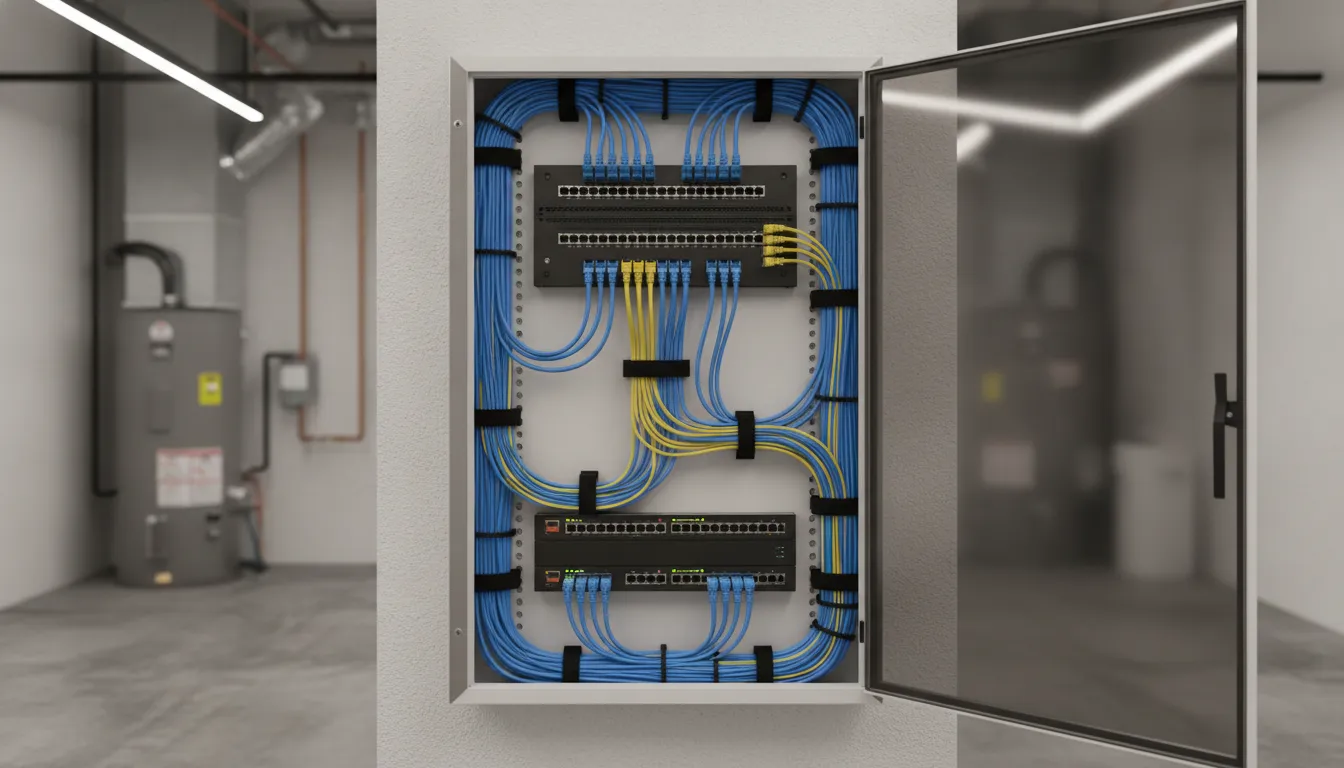
A structured media center (SMC) is the central enclosure where the home network cables terminate. Instead of leaving individual Ethernet, coaxial, and speaker cables scattered behind walls or in separate rooms, the SMC gives them a deliberate home. Each cable can be labeled, tested, and connected to the equipment that distributes service throughout the house.
For a Portland-area new build or major remodel, the SMC is one of the most important planning decisions in a structured wiring project. It keeps the network organized today and makes future upgrades easier without opening finished walls.
Choose an enclosure that matches the system
Enclosure size should reflect the number of cable runs and the equipment the household expects to use. A 14-inch enclosure may be sufficient for a basic installation with a limited number of drops. A 21-inch enclosure provides more room for an expanded residential network. A 28-inch or rack-mount enclosure is better suited to a premium system with substantial equipment, additional capacity, or a small home lab.
The SMC may hold patch panels, a router, an Ethernet switch, coaxial distribution equipment, and, in some homes, a network-attached storage (NAS) device. Leaving some spare space is worthwhile. Network equipment changes more often than the cable installed in the walls, and a crowded enclosure is difficult to service or expand.
Location, airflow, and interference matter
Place the enclosure in a utility room or another accessible area that is reasonably central to the cable runs. A central location can help keep home-run cable paths practical, but the best site must also remain accessible for service. Avoid sealing the SMC into an inaccessible closet or placing it where household storage could block the door.
Ventilation is essential because active networking equipment produces heat. Proper airflow helps prevent overheating and supports stable operation of low-voltage equipment. The layout should also account for electromagnetic interference (EMI). Keep Ethernet pathways and the enclosure appropriately separated from likely interference sources, and coordinate low-voltage routing with the electrical plan rather than treating data cabling as an afterthought.
Pro Tech Power can design and install the structured media center as part of a coordinated design-build electrical project. Planning the SMC alongside the home’s electrical, lighting, and low-voltage needs gives homeowners one organized system instead of disconnected installations.
Pre-Wiring for Smart Home and Whole-Home Audio
The rough-in framing phase is the easiest and least expensive time to prepare a home for connected technology. Once drywall is installed, adding cable often means opening finished walls, working around insulation, or accepting visible raceways. A deliberate pre-wire plan gives Portland-area homeowners a cleaner installation now and more flexibility as devices change.
Plan pathways before the walls close
Use Cat6 or Cat6a as the backbone for smart home hubs, streaming equipment, workstations, and other connected devices. Ethernet is a fundamental part of residential smart-home infrastructure. Especially in high-density households where several people may be streaming, gaming, attending school, or working remotely at the same time. See the practical overview of smart-home networking from NetworksPDX for additional context.
Route low-voltage cabling through separate pathways from AC power conductors. Maintain at least 12 inches of separation where required by NEC Article 725, and coordinate crossings and pathways with the electrical layout to reduce interference and simplify inspection. During framing, plan Cat6 drops to every bedroom, behind each likely television location, and at ceiling locations for wireless access points. A ceiling drop can keep an access point centrally located instead of forcing it into a hallway or equipment closet.
Design audio and control wiring as a system
For whole-home audio, run appropriately rated speaker wire from each planned in-wall or in-ceiling speaker location back to a central audio hub. Label both ends and leave serviceable slack at the hub. Centralizing those home runs makes it easier to select, replace, or expand audio equipment without fishing new wire through finished spaces.
Smart switches also need planning before rough-in is complete. Specify a neutral wire in every switch box so the boxes can accommodate modern smart dimmers, including Matter-compliant devices that require a neutral connection. Confirm device requirements with the electrician and controls designer before the boxes are closed.
Reserve capacity for technology that has not arrived yet
Add coaxial RG6 to media walls when an antenna, cable service, or future television connection may be useful. Also consider a 2-inch conduit from the electrical panel or structured media location toward the attic, with accessible pull points. That pathway can support an unanticipated upgrade later without opening walls.
Good structured wiring Portland Oregon planning is not about guessing every future device. It is about creating accessible pathways, useful connection points, and organized home runs while the framing is open. That is when the work can be coordinated with electrical, lighting, and HVAC layouts instead of treated as a costly retrofit.
What the Structured Wiring Installation Process Looks Like
A well-planned installation keeps the cabling organized from the first walkthrough through final testing. Pro Tech Power can coordinate the electrical and low-voltage sides of the project, so outlet locations. Equipment space, pathways, and data drops are planned together instead of by separate contractors.
-
Plan the layout
The process starts with a walkthrough of the home and a discussion of how each room will be used. Together, we identify television locations, home-office workstations, wireless access point locations, smart-home hubs, and any areas that may need additional network capacity later. The team also selects a structured media center (SMC) location with adequate room for the patch panel, router, switch, and future equipment. Planning these details early helps create a practical, scalable system rather than leaving cable routes to chance.
-
Run cable during framing
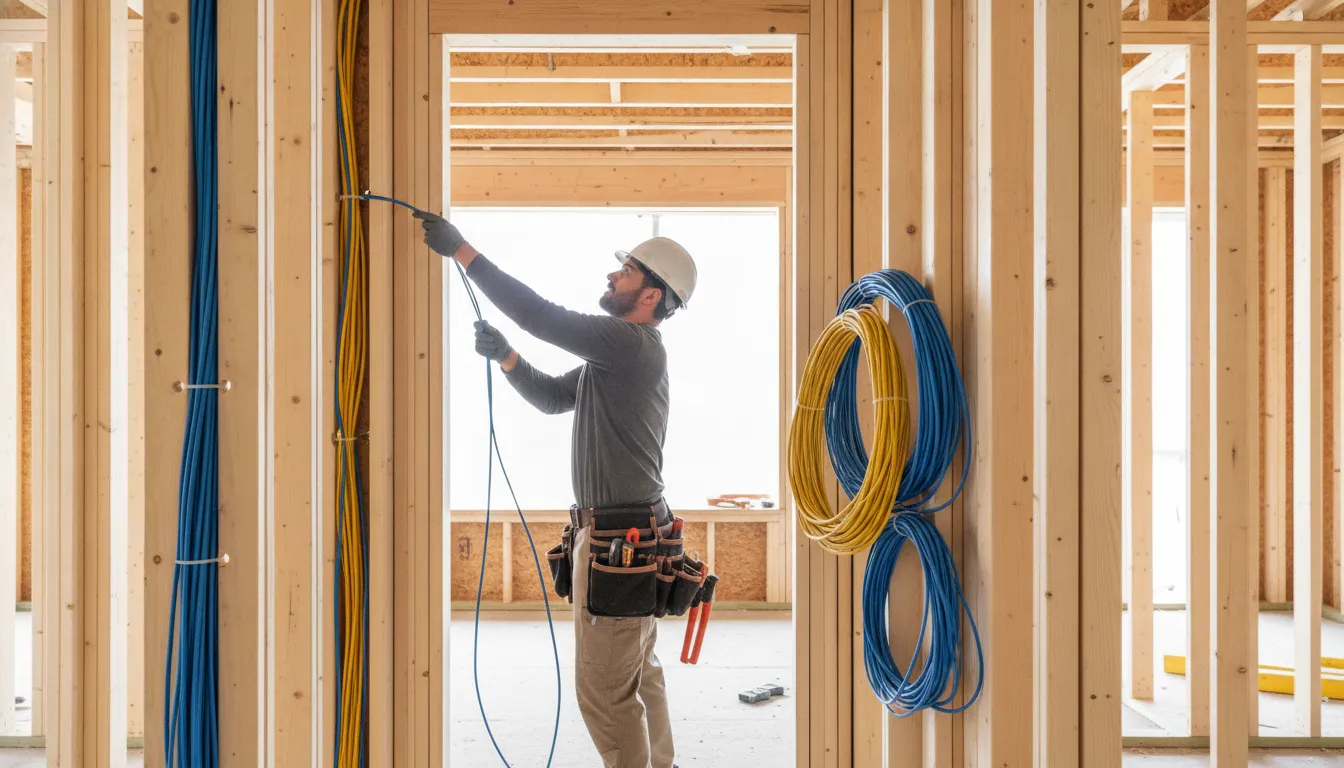
While wall framing is open, Cat6 or Cat6a cable is routed from the SMC to each planned location. This is the cleanest time to install home-run cables before insulation and drywall limit access. The installation should also account for potential electromagnetic interference near Ethernet runs and maintain organized pathways. If the project calls for a high-speed backbone, fiber optic options, including single-mode or multi-mode fiber, can be considered alongside copper cabling.

Running low-voltage cabling during framing provides the cleanest installation before drywall closes the walls. -
Terminate and test every run
After drywall is complete, each cable is terminated at the wall jack and patch panel. The installer labels the connections and certifies each run so the homeowner and future technicians can identify what serves each room. Proper infrastructure can reduce maintenance and repair times when a connection needs troubleshooting or equipment changes.
-
Connect active equipment
The final stage places the router and network switch in the SMC, connects the patch panel, and activates the planned drops. The result is a centralized system that is easier to manage and expand. For broader planning, review our New Home Electrical Wiring guide, which covers how electrical and structured wiring decisions fit into a new build.
Handling both electrical and low-voltage coordination through one team gives the project a clearer sequence. Fewer handoff points, and a more coherent installation from the panel to the connected room.
Cost and Value of Structured Wiring in Portland New Homes
The cost of structured wiring depends on how many locations you want to serve and how much infrastructure you install before the walls are closed. For a typical 15-drop Cat6 package, homeowners may spend approximately $400 to $700 on materials, or about $1,500 to $3,000 for a completed installation. That can cover data drops for offices, televisions, access points, and other planned network locations.
Premium packages cost more because they include additional drops, larger distribution capacity, and audio provisions. A design with 25 or more drops and whole-home audio can reach $5,000 to $10,000. Builders often present this work as an upgrade option and may price it at two to three times their underlying cost. So it is worth asking for a detailed scope and comparing the number of drops, cable type, terminations, testing, and equipment spaces included.
Why pre-wiring is less expensive than retrofitting
New construction offers direct access to wall cavities, floor systems, and ceiling spaces. Once drywall is installed, routing new cable can require additional labor, patching, painting, and access through finished areas. Retrofitting structured wiring after drywall may cost three to five times more than planning the work during framing. Pre-wiring also lets the installer place cable paths and the structured media center where they will be accessible and useful. Rather than forcing equipment into the first available location.
The long-term value comes from that planning. Properly installed cabling can last 15 years or more, often outliving several generations of routers, computers, televisions, and smart-home devices. A durable network foundation can support changing technology without opening walls again, and organized wiring is a practical feature for future homeowners. It can also contribute to the perceived value and marketability of a well-planned new home, although no upgrade guarantees a specific resale return.
For broader planning guidance, see our guide to structured wiring and networking planning. You can also review our full residential and commercial electrical services before scheduling a consultation. Working with one contractor for both electrical and low-voltage wiring keeps the plans coordinated, reduces trade conflicts, and gives you one accountable partner from design through installation.
Frequently Asked Questions
When should structured wiring be installed in a new home?
Plan structured wiring during design and install the cable while walls and ceilings are open, typically during framing. This allows the wiring plan to account for furniture layouts, television locations, wireless access points, security devices, smart home hubs, and whole-home audio before finishes conceal the pathways.
Is Cat6 or Cat6a better for a Portland-area home?
Either can support a well-designed home network, but the right choice depends on run length, equipment, and future bandwidth needs. Unshielded Cat6 supports 10GBASE-T to 55 meters, while Cat6a supports it to 100 meters. See the University of Wisconsin cabling reference for those distance limits. Cat6a is often the more forward-looking choice for longer runs or a home intended for high-speed networking.
What belongs in a structured wiring panel?
A structured wiring panel, also called a structured media center, is a central location for terminating and organizing network, television, and other low-voltage cables. It may also hold distribution equipment for internet and audio. Leave room for service access, future expansion, and adequate ventilation so equipment can operate reliably.
How many ethernet locations should a remodel include?
Start with the way each room will be used rather than choosing a fixed number of drops. Common planning points include offices, televisions, access points, media equipment, smart home hubs, and areas where reliable connections matter more than Wi-Fi. A home with several people streaming, gaming, or working remotely benefits from more wired locations and a clear central distribution plan.
Can structured wiring be added after the remodel is complete?
It is possible, but access is usually more limited and finished walls can make routing, testing, and future expansion more difficult. Pre-wiring during a new build or major remodel provides cleaner pathways and makes it easier to add spare cable or conduit while the structure is accessible.
Ready to Plan Your Structured Wiring Pre-Wire?
Early planning helps place data, entertainment, and smart home connections where they will be most useful before walls are closed. To schedule a consultation for your Portland-area new build or major remodel, contact Pro Tech Power about your structured wiring pre-wire needs. Bring your plans, preferred technology, and room-by-room goals so the wiring approach can support how you expect to use the home.